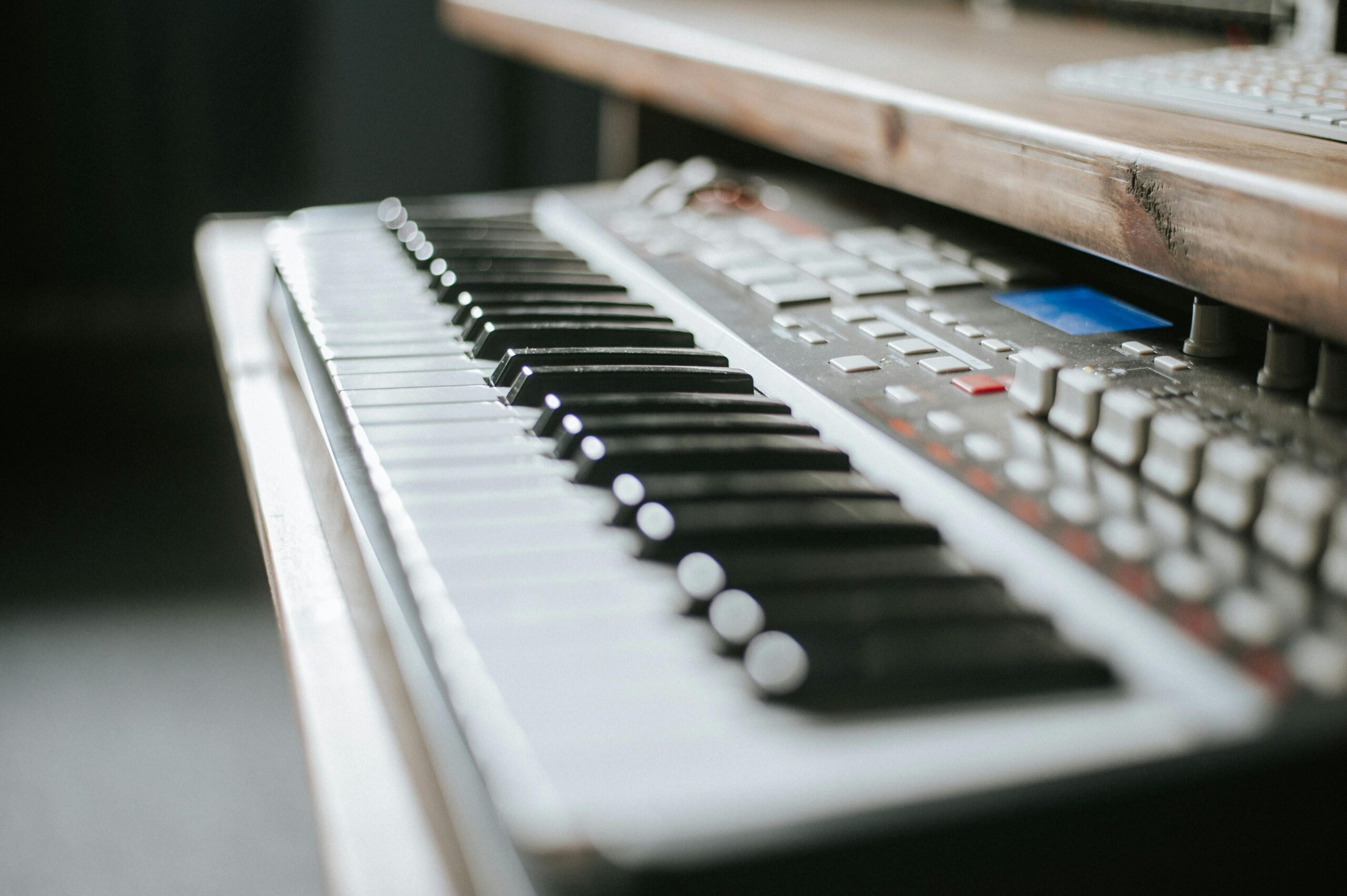

Most guides on the internet tell you that you need a Neumann condenser, a flagship interface, and a subscription bundle of plugins. They’re wrong. Some of the most-streamed songs of the last five years were written and demoed on setups that would cost less than what you’ve already budgeted. The gear is not the constraint. Here’s how to spend your money intelligently.
This guide is for the songwriter who has access to a laptop or recent smartphone and roughly three hundred dollars to assemble a real, working songwriting setup.
We’ll walk through three complete builds tailored to different writing styles (the acoustic singer-songwriter, the in-the-box producer, and the hybrid writer who does some of both) along with the free software stack that makes any of these builds genuinely capable, the small handful of accessories that punch above their weight, and the upgrade path you should follow as your budget expands.
Audio Interfaces
Microphones
Headphones
MIDI Controllers
- Akai MPK Mini MK3
- Arturia MiniLab 3
- Akai LPK25
- Korg nanoKEY2
- Arturia KeyLab Essential 49 mk3 (upgrade pick)
Studio Monitors (Upgrade Path)
Free DAWs
Free Plugins and Sample Libraries
- Spitfire LABS
- Native Instruments Komplete Start
- Vital (synth)
- Surge XT (synth)
- Valhalla Supermassive (reverb)
- TDR Nova (dynamic EQ)
- OrilRiver (reverb)
Accessories
- Generic XLR cable (any reputable brand, 6–10 ft)
- Desktop microphone stand (any reputable brand)
- Foam mic pop filter / windscreen
What a Songwriter’s Setup Actually Needs to Do
Before spending a dollar, it’s worth being precise about what songwriting gear is actually for. A songwriter’s setup needs to do four things, in order of importance.
- It needs to capture ideas before they evaporate.
- It needs to let you build those ideas into something you can listen back to and evaluate.
- It needs to let you share rough mixes with collaborators or trusted listeners.
- And, much further down the priority list than gear marketing implies, it eventually needs to produce something close to release-quality audio.
The first three of those goals are easy to hit on three hundred dollars. The fourth is the one that takes a thousand-dollar setup and a treated room. But most songwriters never need to hit it themselves, because they collaborate with producers and engineers when a song is ready for release. The job of your home setup is to write and demo, not to master. Once you accept that, the budget becomes generous rather than tight.
The Foundation: Free Software That’s Genuinely Pro
The single biggest shift in home recording over the last decade is that the software has become essentially free. You can build a release-quality song using software that costs zero dollars, runs on a five-year-old laptop, and is used by working professionals. This is the most important section of this guide, because every dollar you spend on hardware is a dollar you can spend more wisely once you understand how little you need to spend on software.
Your DAW (digital audio workstation) is the program where you actually record, edit, and arrange music. The strongest free options as of this writing are Cakewalk by BandLab (Windows only, completely free, professional-grade), GarageBand (Mac only, free, surprisingly capable), Tracktion Waveform Free (Mac and Windows, free with no time limit), and Reaper (Mac and Windows, technically a sixty-day evaluation that never actually stops working, with a $60 personal license that’s still well below most competitors).
Reaper is the one most professional engineers would point to as the best value in software, period. It’s lightweight, infinitely customizable, and used on real records. If you’re on Windows and want a more out-of-the-box experience, Cakewalk is the better starting point. If you’re on Mac, GarageBand will get you further than you expect before you outgrow it, and the project files transfer directly to Logic Pro if you ever upgrade.
For instruments and effects, the free plugin ecosystem has become genuinely abundant. Spitfire LABS offers dozens of beautifully sampled instruments — pianos, strings, soft synths, ambient textures — for free, with the caveat that you’ll create an account to download them.
Native Instruments Komplete Start is another free bundle with a usable sampler, drum machine, and several synths. For synthesis, Vital is a free wavetable synth that competes directly with paid synths costing hundreds of dollars, and Surge XT is a free open-source synth with a deep feature set.
For mixing effects, Valhalla Supermassive is a free reverb that has become a defining sound of contemporary ambient and pop production, TDR Nova is a free dynamic equalizer used on professional records, and OrilRiver is a free algorithmic reverb that punches well above its zero-dollar price.
Your three-hundred-dollar budget should be spent entirely on hardware and accessories. The software will not be the bottleneck.
Build 1: The Acoustic Singer-Songwriter ($295)
If you write songs with a guitar or at a piano and a vocal, your setup needs to capture those two sources well and let you hear what you’ve recorded accurately. Here is a complete, working build.
The Focusrite Scarlett Solo 4th Generation ($129) is the audio interface to buy. It has one combo input that accepts both microphones (with high-quality preamps and forty-eight-volt phantom power) and instruments (for plugging in a guitar or bass directly), plus a separate dedicated headphone output and balanced stereo monitor outputs for when you eventually upgrade.
The 4th-generation preamps are quieter than the previous version and include an “auto-gain” feature that sets your input level for you. Focusrite also bundles a starter pack of plugins and a three-month subscription to a sample library, both of which are useful in the first few months.
The Shure SM58 ($99) is the microphone to buy. This is a slightly contrarian recommendation in a world full of budget condensers, but the SM58 is a dynamic microphone, which means it rejects room noise — the single biggest enemy of vocal recordings made in untreated bedrooms. It will sound better in your apartment than a more expensive condenser will, and it has been used on more hit vocals than nearly any other microphone in history. It’s the workhorse choice. If you want a slightly more open sound and your room is already quiet, the Behringer XM8500 ($25) is a credible budget alternative that frees up money for other gear.
The Audio-Technica ATH-M20x ($49) is the headphone to buy. Closed-back, accurate enough for songwriting decisions, comfortable enough for long sessions, and well below the price of the M40x or M50x that get more attention. You can do real work in these. The M40x is a meaningful step up if your budget allows, but on a strict three-hundred-dollar build, the M20x is the right call.
A short list of small but necessary items rounds the build out.
- A basic XLR cable ($10) connects the microphone to the interface. A simple desktop mic stand
- ($15) keeps the SM58 in a usable position. A foam pop filter that slips over the microphone
- ($8) prevents plosives without taking up the space of a mounted shield.
Total: $295, with five dollars left for an extra cable or a cup of coffee while you set everything up.
Build 2: The In-the-Box Producer ($290)
If you write songs primarily inside a DAW (beats, electronic productions, synth-based songs, or any project where you don’t need to record acoustic sources) your priorities shift. You need a way to play notes into the computer, accurate monitoring, and not much else. Here is the producer-focused build.
The Akai MPK Mini MK3 ($119) is the controller to buy. Twenty-five velocity-sensitive mini keys, eight drum pads, eight assignable knobs, a four-way joystick for pitch and modulation, and a built-in arpeggiator.
It’s USB-bus-powered, fits in a backpack, and is the most-used budget MIDI controller for a reason.
The Arturia MiniLab 3 ($109) is its closest competitor and slightly preferred by some writers for its included software bundle, which includes the Analog Lab synth library — genuinely useful and a meaningful value-add. Either is the right choice. Pick on aesthetic preference.
For audio output, you have two paths. If you don’t need to record any acoustic sources at all, you can skip an audio interface entirely and use your computer’s headphone output, which frees up the entire interface budget for better headphones or a second piece of gear. If you want some flexibility — to record a vocal idea, plug in a guitar occasionally, or use balanced studio monitors later — the Behringer UMC22 ($59) or the PreSonus AudioBox GO ($79) will get the job done at a fraction of the Scarlett’s price.
The Audio-Technica ATH-M30x ($69) is the headphone choice for this build, a small upgrade from the M20x with slightly better bass extension that matters more for electronic and beat-driven music.
If you skipped the audio interface, put the savings toward the Sony MDR-7506 ($99), an industry-standard headphone used in essentially every professional studio in the world. They are not the most exciting-sounding headphones, precisely the point, but mixes you make on them tend to translate to other systems.
A complete producer build looks like this: Akai MPK Mini MK3 ($119) plus Behringer UMC22 ($59) plus Audio-Technica ATH-M30x ($69) plus a generic dynamic microphone like the Behringer XM8500 ($25) for occasional vocal scratch tracks plus a basic XLR cable and stand bundle ($18). Total: $290.
Build 3: The Hybrid Songwriter ($299)
Most songwriters fall somewhere between the two builds above. They write on a guitar or piano, record vocals, and also program drums and add synths in the DAW. The hybrid build optimizes for both.
The PreSonus AudioBox GO ($79) is the interface choice here, because it’s smaller and cheaper than the Scarlett Solo while still offering one good preamp and an instrument input.
The savings versus the Scarlett go directly into a MIDI controller. You give up the auto-gain and a small amount of preamp quality, but for songwriting purposes, the difference is inaudible.
The Akai LPK25 ($65) or the Korg nanoKEY2 ($55) is the controller choice. Twenty-five mini keys in a slim form factor that fits in front of a laptop. You won’t be playing a Rachmaninoff concerto on these, but for sketching chord progressions, programming bass lines, and playing soft synth pads, they’re more than adequate. If you specifically want pads for drum programming, step up to the Akai MPK Mini MK3 ($119) and accept a slightly thinner build elsewhere.
The Behringer XM8500 ($25) is the microphone for hybrid writers on this budget. It will not be your forever microphone, but it will record acoustic guitar and vocal demos that sound completely usable inside a dense mix. Pair it with a basic stand and pop filter ($23 combined) and a short XLR cable ($10).
The Audio-Technica ATH-M20x ($49) returns as the headphone of choice, leaving room in the budget for an upgrade later.
A complete hybrid build: PreSonus AudioBox GO ($79) plus Akai LPK25 ($65) plus Behringer XM8500 ($25) plus stand and pop filter ($23) plus XLR cable ($10) plus ATH-M20x ($49) plus Spitfire LABS, Vital, Surge XT, and Valhalla Supermassive (free). Total: $251, with roughly fifty dollars in slack to spend on whatever piece of gear you discover you most miss after a month of writing.
What Three Hundred Dollars Won’t Buy You — and Why That’s Fine
Honest gear guidance includes acknowledging what you’re giving up. A $300 songwriting setup will not include studio monitors — you’ll be working in headphones until you upgrade. It will not include acoustic treatment for your room, which means a condenser microphone would pick up too much room sound and is why this guide repeatedly recommends dynamic microphones. It will not include a high-quality MIDI keyboard with full-size weighted keys. The controllers in this budget are mini-keyed, which is fine for sketching but limiting for serious keyboard players. It will not include a paid DAW with bundled plugins like Ableton Live Standard or Logic Pro, although Logic on a Mac is a hundred-dollar one-time purchase that is genuinely worth saving for as your first software upgrade.
None of these limitations stop you from writing songs. They might stop you from finishing a fully produced master, but that’s not what a writer’s setup is for. The job of this rig is to capture ideas, build demos, and feed your songs to producers, collaborators, or yourself for the next stage of work. It does that job extremely well.
The Upgrade Path When the Budget Grows
Once you’ve spent six months writing on a $300 setup, you’ll have earned strong opinions about what you most wish was better. The standard upgrade order, based on what most home songwriters discover they want, runs roughly as follows.
The first upgrade is almost always studio monitors. A pair of Presonus Eris E3.5 monitors ($99) or JBL 305P MkII ($149 each) transforms the experience of writing and mixing in a way that no headphone, however nice, can match. Your second upgrade is usually a better microphone. A Shure SM7B ($399) is the dream upgrade for vocalists, but a Rode NT1 5th Generation ($249) gets you most of the way there for less money if your room is reasonably quiet.
The third upgrade is a full-size MIDI keyboard if you write at the piano. The Arturia KeyLab Essential 49 mk3 ($269) is the canonical choice. The fourth upgrade is acoustic treatment, which is genuinely the highest-leverage spend in any home studio but requires that you’ve committed to a room. The fifth and final upgrade most home songwriters make is a paid DAW (Ableton Live, Logic, or Studio One) usually because a specific workflow benefit pulls them in.
If you follow that upgrade path one step a year, you’ll be at a setup that competes with most professional home studios within five years, and you’ll have made every spending decision after living with the previous setup long enough to know exactly what it was missing. That’s the right way to grow a studio.
The Single Most Important Thing About Cheap Gear
The temptation, when you’re working on a budget, is to treat the gear as the limiting factor. That is, to assume that the songs you’re writing are being held back by the SM58 or the Scarlett Solo or the M20x and that an upgrade would unlock something. This is almost never true. The songs that aren’t working aren’t waiting on better gear. They’re waiting on more revisions, sharper melodies, better lyrics, and more honest self-evaluation.
The two-hundred-ninety-five-dollar singer-songwriter build above is enough gear to write a great album. So is the producer build. So is the hybrid. The cheapest setup in this guide has produced songs that ended up on streaming services, in films, and on labels, not because the gear was magic but because the writers using it spent their attention on the writing instead of on the gear.
Buy the build that matches how you write. Spend the leftover money on coffee, time, and notebooks. Then spend the next year writing songs.